Stores and connections
How restaurant locations are linked to your application — and why store-scoped API calls need X-Store-Id.
A store is a single restaurant location. Most Otter API calls and webhooks are store-scoped: Otter must know which location you mean, and that location must be connected to your application.
Hierarchy reminder
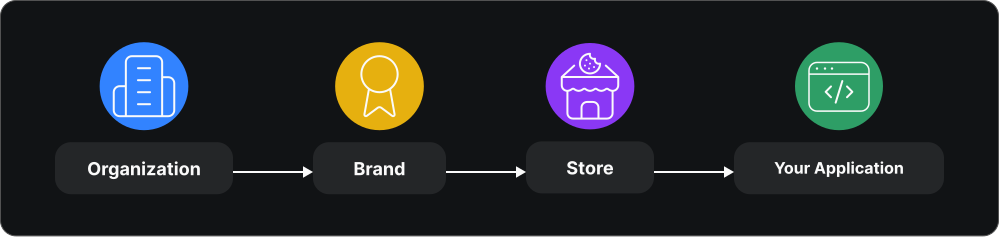
| Concept | Meaning |
|---|---|
| Organization | Merchant account |
| Brand | Concept or banner under the org |
| Store | One location — the unit most APIs and webhooks act on |
| Connection | Mapping between Otter’s store and an id in your system |
Full business model: Otter 101.
Why pairing matters
Once a store is linked to your application:
- You send Otter’s store identity on store-scoped requests in the
X-Store-Idheader. - Webhooks for that store carry store metadata so you can route events correctly.
If a store is not linked, store-scoped calls fail even with a valid bearer token. Pairing is separate from authentication — see Authentication.
Ways to connect stores
Pick the path that matches how merchants come onto your product:
| Path | When to use | Start here |
|---|---|---|
| Account Representative | Manual / early onboarding; few stores | Ask your AR to link stores (also in Quickstart) |
| Stores & account pairing | Your app receives store upserts and registers an external id | Stores & account pairing |
| Organization onboarding | Merchant authorizes your app and you browse org → brand → store | Onboard an organization |
Many products start with Account Representative for a few stores, then automate pairing at scale.
Using X-Store-Id
On store-scoped resource calls:
Authorization: Bearer <access_token>
X-Store-Id: <store_id>
- Use the Otter store id for the linked location (not an unlinked id from another app).
Store status and removal
- Update store status (suspend, activate, invalidate) with
PUT /v1/stores/status— see Stores & account pairing. - Handle the Remove Store (
stores.remove) webhook when Otter drops a store link. Treat certain 403 “account could not be found” responses as a fallback signal if you missed the webhook — details on that hub.
Related
- Quickstart — connect stores
- Stores & account pairing — Integrations hub how-tos
- Onboard an organization
- Authentication — tokens and headers
- Otter 101
Next
Link at least one store (Quickstart), confirm a store-scoped call succeeds, then choose the Integrations hub for your product.