Onboarding Flow
The organization domain provides endpoints to onboard new stores to your integration. The user responsible for the store must allow your application to act on behalf of them, therefore, the onboarding flow requires an access token generated with the OAuth Authorization Code Flow.
To select the store to be onboarded, the API provides endpoints to fetch Organization structure. Each user is part of a single organization, each organization has a list of brands, and each brand has a list of stores.
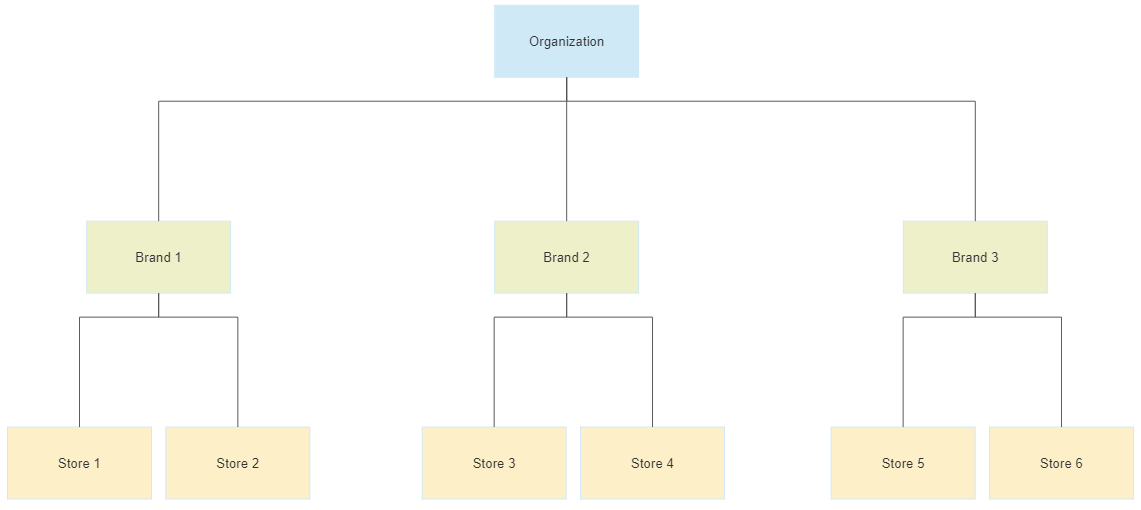
To fetch the organization structure call the following endpoints:
- /organization/v1/organization: Get the user associated to the given user.
- /organization/v1/organization/brands?limit=100: List the brands from the selected organization.
- /organization/v1/organization/brands/{brandId}: Get a specific brand.
- /organization/v1/organization/brands/{brandId}/stores?limit=100: List the stores from the selected brand.
- /organization/v1/organization/brands/{brandId}/stores/{storeId}: Get a specific store.
Onboarding a store consists of creating a 'connection' between your application and the selected store. A connection is created by passing a store identifier (storeId in the request parameter) that identifies the store in your system.
Onboarding flow diagram:
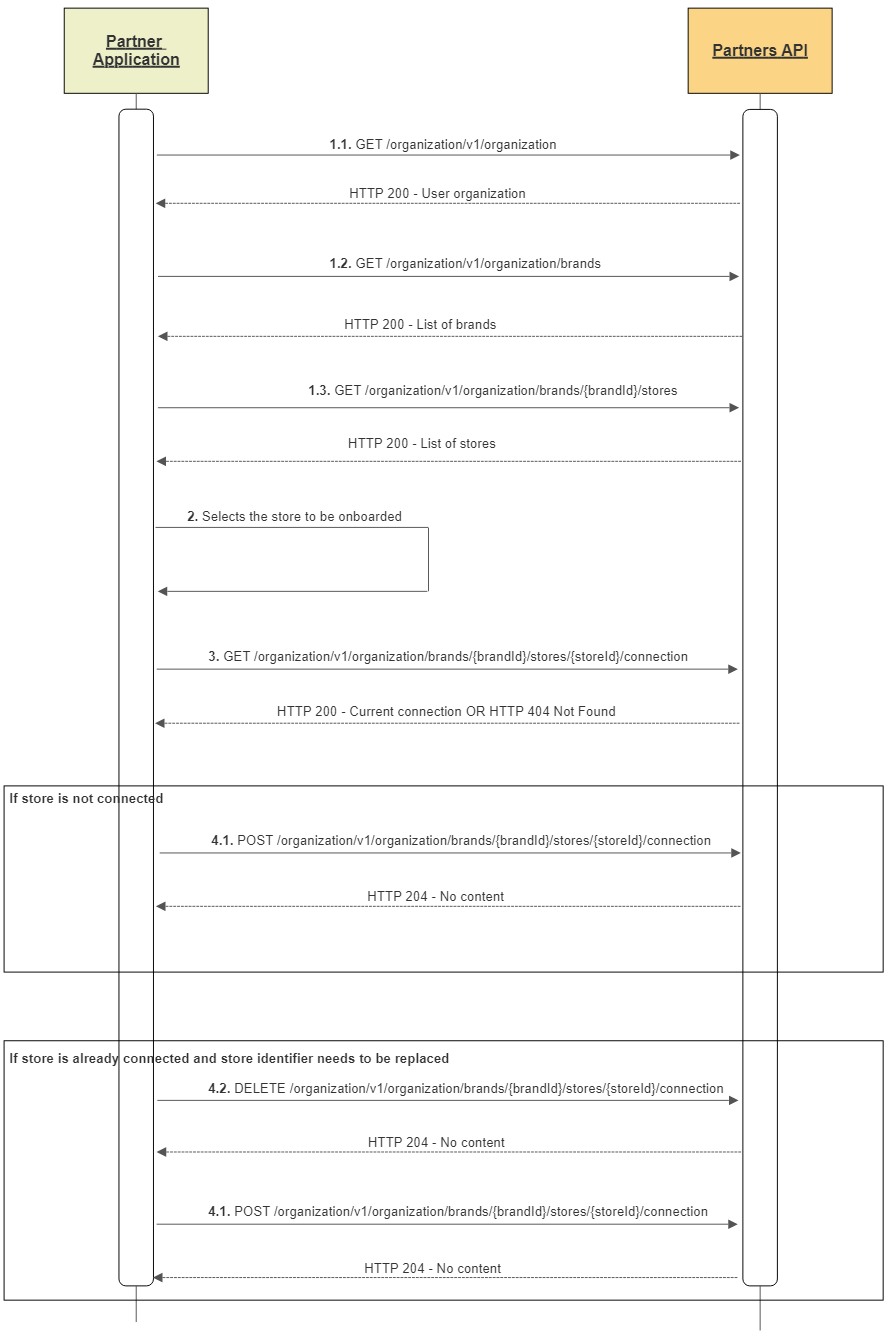
- Get the organization structure
- Select the store to be onboarded
- Fetch the current state of connection between your application and the selected store
- Connecting the store
- If the store is not already connected (404 on previous request), send a POST request to /organization/v1/organization/brands/{brandId}/stores/{storeId}/connection to connect passing the storeId the identifies the given store in your system.
- If the store is already connected, and the storeId needs to be replaced, send a DELETE request to /organization/v1/organization/brands/{brandId}/stores/{storeId}/connection and then send a POST to /organization/v1/organization/brands/{brandId}/stores/{storeId}/connection passing the new storeId.